
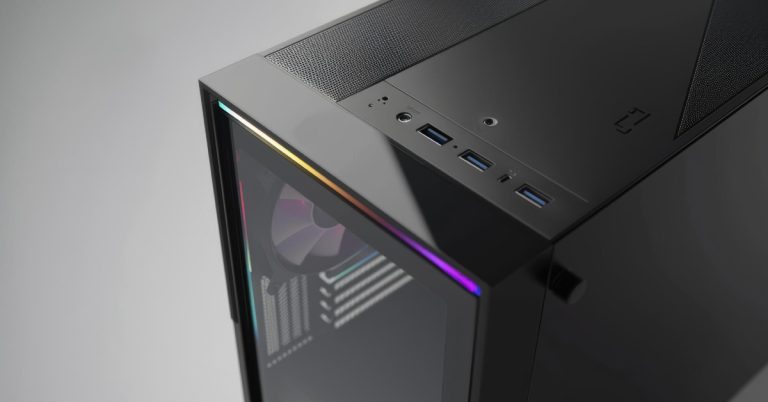
If you have been searching AI workstation Singapore, desktop for local LLM, OpenClaw machine, or DeepSeek local LLM desktop, you are probably trying to get the same outcome:
You want private AI that feels fast, stays reliable, and does not depend on the cloud for every prompt.
In Singapore, most buyers land in one of two camps:
- You want OpenClaw mainly as a personal assistant that lives inside WhatsApp or Telegram and helps you get things done.
- You want a personal LLM that runs locally for heavier work like DeepSeek, long documents, and tool driven workflows, where hardware matters a lot more.
This guide is written to answer the exact decision most people struggle with: OpenClaw machines vs normal machines, which is better for OpenClaw, and which is better for DeepSeek LLM.
Quick Singapore buyer shortcut: what should you buy?
If you want a simple rule without overthinking:
- If you use OpenClaw with cloud models — An OpenClaw ready laptop or mini PC is usually enough.
- If you use OpenClaw with local models — You want a GPU focused local LLM desktop, because OpenClaw expects large context and stronger local model setups.
- If your goal is DeepSeek as your personal LLM — A DeepSeek AI workstation is the better machine, because you are paying for GPU VRAM, system RAM, and sustained performance.
And yes, you can mix both: Run OpenClaw on a lighter always on machine, and point it to your DeepSeek AI workstation for the heavy lifting.
Singapore glossary for shoppers: VRAM, RAM, context, and why things feel slow

VRAM
VRAM is the memory on the GPU. For local LLMs, VRAM is usually the number one limiter. More VRAM typically means bigger models, higher quality, and less “offloading” to slower system memory.
RAM
System RAM helps you multitask and keeps the machine smooth when you run OpenClaw plus a local model server plus other apps.
Context window
Context is how much text the model can “hold” at once. Bigger context helps for long chats, PDFs, and agent workflows, but it increases memory demand.
OpenClaw’s own local models guidance is very direct about this: it expects large context, and it advises aiming high for local setups. It also notes that a single 24 GB GPU is only for lighter prompts with higher latency.
What is an OpenClaw machine, and how is it different from a normal machine?
Let’s make this practical.
Normal machine
A normal machine is your everyday laptop or desktop. It can run OpenClaw, especially if you are using cloud models or smaller local models.
OpenClaw machine
When people say “OpenClaw machine”, they usually mean a device chosen specifically for running OpenClaw reliably day to day.
In myhalo’s OpenClaw collection, you will see a lot of modern “AI era” systems like Intel Core Ultra laptops and Copilot style devices, because they are efficient, portable, and make sense for always on assistant workflows.
So the difference is not magic software. It is simply this: An OpenClaw machine is chosen for always on stability and convenience. A normal machine can work too, but you may hit limits sooner depending on your LLM plan.
Which is the better machine for OpenClaw?
The best machine for OpenClaw depends on where the model runs.
Scenario 1: OpenClaw with cloud models
If OpenClaw is your “assistant layer” and the model is in the cloud, you do not need a monster desktop. A good OpenClaw machine is usually:
- stable and efficient
- good battery life if you bring it around Singapore
- enough RAM for daily multitasking
- reliable connectivity
This is where a Core Ultra class laptop or a well specced productivity machine makes sense.
Scenario 2: OpenClaw with local models for basic personal use
If you want to keep data local but your prompts are lighter, a mid range desktop can work, but you still want to prioritise GPU VRAM.
Scenario 3: OpenClaw with local models for serious use
If you want OpenClaw to stay sharp with longer context and heavier prompts, you need the machine to keep up.
OpenClaw’s local models doc is clear that local is doable, but it expects large context and stronger defenses, and it encourages aiming high.
So for serious local OpenClaw use, the “better machine” is basically a DeepSeek AI workstation class desktop.
Which is the better machine for DeepSeek LLM?
If your primary goal is a personal LLM, DeepSeek is where you feel hardware differences immediately.

DeepSeek workflows typically benefit from:
- more GPU VRAM
- more system RAM
- fast NVMe storage
- stable cooling for sustained loads
This is why a DeepSeek AI workstation is usually the better machine than a normal desktop.
A real DeepSeek AI workstation example in Singapore
This myhalo desktop is built specifically around local LLM performance:
- AMD Ryzen Threadripper PRO 9975WX, 32 cores 64 threads
- 256 GB DDR5 5200
- 16 TB total storage using dual Samsung 9100 Pro 8 TB NVMe Gen5 SSD
- Gigabyte GeForce RTX 5090 32 GB GDDR7
- Windows 11 Professional
- It is positioned as built for local LLM deployment with high GPU memory and large system memory for model loading and multitasking
If someone asks “which is better for DeepSeek LLM”, this is the kind of spec stack that answers it.
OpenClaw machine vs DeepSeek AI workstation: what to choose in Singapore
Here is the simplest way to decide.
Choose an OpenClaw machine if you want
- OpenClaw mainly as a productivity assistant
- cloud model usage
- portability and lower power usage
- something you can run all day without thinking about it
Browse OpenClaw machines here (Singapore stock)
Choose a DeepSeek AI workstation if you want
- personal LLM running locally
- heavier prompts and longer context
- more serious tool use and multi app workflows
- a setup that stays fast under sustained load
This desktop is designed for that use case
The best setup for power users
If you want the smoothest experience: Run OpenClaw on an always on machine, and route “heavy LLM work” to the DeepSeek AI workstation.
This keeps your assistant always available, and your local LLM always powerful.
What to look for when building a local LLM desktop in Singapore
If you are comparing specs, here is the checklist that actually matters.
1) GPU and VRAM
VRAM is the limiter. If VRAM is tight, you will end up with slower performance or more compromises.
2) RAM
If you run OpenClaw plus a local model server plus other tools, RAM is what keeps the whole system from feeling “stuck”.
3) Storage
Model files and projects get big quickly. Fast NVMe helps with loading, caching, indexing, and general “snappiness”.
4) Cooling and stability
Singapore is warm and humid. A local LLM desktop needs stable thermals because you are not doing a 2 minute benchmark, you are doing long sessions.
Buying in Singapore: pickup, WhatsApp support, and local convenience
If you are in Singapore and you want local support, myhalo’s store details are listed at Bugis Junction, with daily opening hours and WhatsApp contact.
For buyers who want it fast, the AI workstation product listing also highlights express shipping timelines and an exchange program, which is helpful when you are trying to get a build running quickly.
DeepSeek AI workstation desktop
OpenClaw machines in Singapore
If you want help choosing in one message, WhatsApp myhalo at +65 8068 0100 or visit myhalo at Bugis Junction.
Frequently Asked Questions
Can I run OpenClaw on a normal laptop in Singapore?
Yes, especially if you are using cloud models. OpenClaw can connect through chat apps like WhatsApp and Telegram, and the heavy lifting depends on where your model runs.
2) Why do people buy an OpenClaw machine instead of using a normal machine?
They want a device selected for always on reliability, efficiency, and day to day convenience, rather than a big GPU desktop.
3) When do I need a desktop GPU for OpenClaw?
When you want OpenClaw to run local models with larger context and heavier prompts. OpenClaw’s local models guidance encourages aiming high for local setups and notes that a single 24 GB GPU is only for lighter prompts with higher latency.
4) Is an AI workstation overkill for OpenClaw?
It depends. For cloud models, yes it can be overkill. For local models, it is often the cleanest way to get speed and fewer compromises.
5) What is the biggest bottleneck for DeepSeek as a personal LLM?
In most setups, it is GPU VRAM first, then system RAM, then cooling and storage.
6) Which is better for DeepSeek LLM: normal desktop or DeepSeek AI workstation?
If you want DeepSeek to feel fast under sustained use and handle heavier workflows, a DeepSeek AI workstation is the better machine because it is built around high VRAM GPU and large system memory.
7) Can I use an OpenClaw machine and still benefit from a DeepSeek workstation?
Yes. Many people run OpenClaw as the assistant layer and point it to a local model server running on a workstation for the heavy compute.
8) I am in Singapore. What should I tell myhalo so you can recommend the right setup quickly?
You just need to tell us your intended use for your machine and our experts will take it up from there.